

How to Choose the Best Barcode Printer Labels in 2026?
A barcode can fail for a surprisingly small reason: a glossy label, a weak adhesive, or a ribbon that does not match the printer. In a busy warehouse, that may mean a relabel, a delayed scan, or a carton sent to the wrong station. Choosing barcode printer labels is therefore not just a purchasing decision. It affects readability, handling, and day-to-day workflow.
The pressure to modernize is real. Zebra Technologies’ 2023 Warehousing Vision Study reported that 83% of surveyed decision-makers planned to increase technology investment over the following five years. That figure describes survey respondents, not every warehouse, but it signals the direction of travel. Labels remain a small part of that investment with an outsized job: carrying data that scanners must read consistently. Small details matter.
In 2026, the best choice will depend on where a label goes and what it must endure. A paper label on a dry shipping carton has different needs from a synthetic label exposed to moisture, abrasion, or temperature changes. Printer type, print method, label size, core dimensions, adhesive, and scanner compatibility all deserve attention. The lowest unit price can look attractive, until rolls waste, prints fade, or labels peel at the edge. I have to admit, no checklist can predict every surface or workflow perfectly. Testing samples on the actual printer and packaging is still the practical check. This guide explains how to compare materials and specifications, ask suppliers useful questions, and choose labels that balance dependable scanning, durability, and cost.
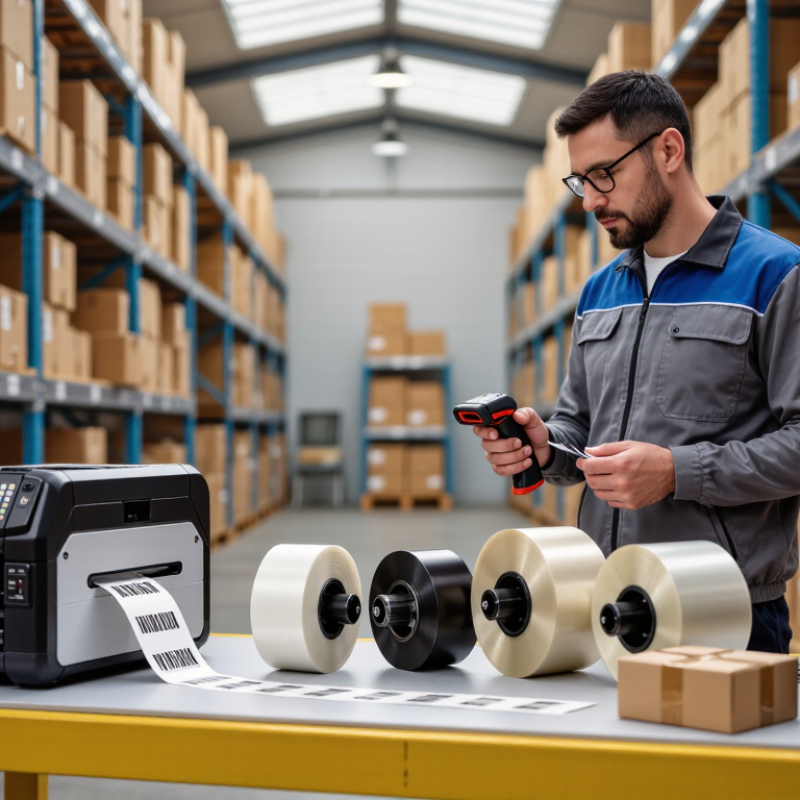
Identify Your Barcode Labeling Needs and Operating Conditions
A barcode label should match its job, not just the printer. Is it for a shipping carton, a freezer bin, or a product that will face months of handling? GS1 reports that barcodes are scanned more than six billion times daily worldwide, making consistent readability essential. Small details matter. Choose the label size, barcode dimensions, and print resolution around the scanner distance and the surface being labeled.
Operating conditions narrow the options. Direct thermal labels can suit short-lived shipping labels, while thermal transfer is often better for longer service or tougher exposure. Check the real environment: a cold dock, condensation, abrasion, cleaning agents, and curved packaging can all affect adhesion and readability. A neat specification sheet can still mislead. Test labels on the actual material, then scan them after exposure to the conditions they will face.
Plan for workflow changes, too. The 2024 Warehousing Vision Study reported that 73% of surveyed decision-makers expected to increase technology investment by 2029. That points to a practical question: will today’s label format still work with tomorrow’s scanning and handling process? Record failed scans, edge lifting, and fading during a short trial. The result may not be perfect on the first run, but it gives teams evidence before they order at scale.
| Decision Factor | What to Identify | Suitable Label Choice | Practical Check |
|---|---|---|---|
| Labeling workflow | Estimate daily print volume, print speed, and whether labels are printed in batches or on demand. | Choose a printer and label format rated for the required workload; roll labels suit many continuous or batch workflows. | Confirm roll core, outside diameter, label gap or black-mark sensing, and printer feed-path limits. |
| Printing method | Determine whether labels need short-term use or longer-lasting text and barcodes. | Direct thermal is often suitable for short-life labels. Thermal transfer is generally better when durability or longer storage is needed. | Direct thermal labels can darken or fade with heat, sunlight, and abrasion. Thermal transfer requires a compatible ribbon. |
| Label material | Consider the surface being labeled, required flexibility, exposure, and expected service life. | Paper is common for indoor shipping and retail. Synthetic films such as polypropylene, polyethylene, or polyester are used when greater moisture or tear resistance is needed. | Match the material to the application and verify that the printer can handle its thickness and surface type. |
| Operating environment | Check exposure to moisture, condensation, oils, chemicals, sunlight, abrasion, and temperature changes. | Use a label face material and print method designed for the actual exposure; protected or coated constructions may be appropriate for demanding conditions. | Review the label and adhesive supplier’s service-temperature and chemical-resistance data. Performance varies by construction. |
| Adhesion and surface | Identify whether the label will be applied to cardboard, glass, plastic, metal, or a curved or textured surface. | Use a permanent adhesive for lasting attachment, a removable adhesive when clean removal is required, or a specialty adhesive for difficult surfaces. | Test adhesion on the actual surface. Dust, oil, low application temperature, and surface texture can affect bonding. |
| Application temperature | Record the temperature of the surface when the label is applied, not only the temperature during storage or use. | Select an adhesive whose application-temperature range covers the actual application conditions. | Cold-temperature adhesives may be needed for chilled products or cold-room application. Check the supplier’s specifications. |
| Label size and barcode layout | Measure the available label area and determine the barcode type, data length, and required human-readable text. | Choose a label large enough to preserve required barcode dimensions, quiet zones, and readable text. | Print a sample and verify it with the barcode scanner used in the workflow; avoid scaling a barcode without checking readability. |
| Printer resolution | Check the printer’s resolution and the smallest barcode or text elements in the design. | Use a resolution that can reproduce the required bar widths and small text clearly. | Match label artwork and printer settings to the printer’s stated resolution, then verify samples with a barcode verifier or scanner. |
| Thermal-transfer ribbon | If using thermal transfer, confirm the ribbon’s ink side, width, core, and compatibility with the label face material. | Wax ribbons are commonly used with paper; wax-resin or resin ribbons may be appropriate for more demanding materials and exposure. | Ribbon choice depends on the label material and required resistance. Test print quality and rub resistance before production. |
| Storage and service life | Define how long the label must remain readable and where labeled items will be stored or transported. | For longer service life or harsh exposure, evaluate synthetic face stocks and a compatible thermal-transfer ribbon. | Store unused labels as directed by the supplier; heat, humidity, and sunlight can affect label performance over time. |
| Verification before purchase | Gather samples of the actual surface, printer specifications, operating conditions, and barcode artwork. | Request sample rolls or sheets that match the intended material, adhesive, and print method. | Test printing, feeding, adhesion, scanning, and durability under representative operating conditions before ordering at scale. |